

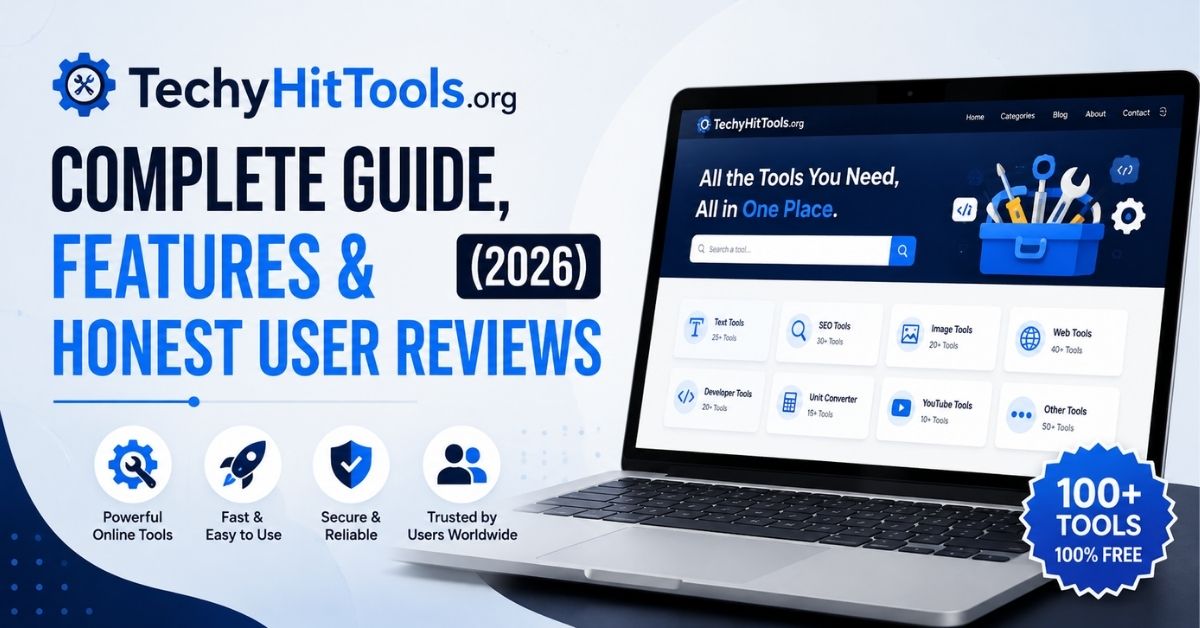
If you’ve stumbled across TechyHitTools.org while hunting for free SEO or content tools, you’ve probably got one question on your mind: does it actually work, or is it just another cluttered tool farm dressed up with nice icons? Fair question. We spent time digging through independent reviews, testing reports, and the site’s own claims to give you a straight answer instead of recycled marketing copy.
This guide covers what TechyHitTools.org actually offers, what works, what doesn’t, whether it’s safe, and who should (and shouldn’t) bother using it. No fluff, no guesswork just what the evidence shows.
What Is TechyHitTools.org?
TechyHitTools.org is a free, browser-based platform that bundles together dozens of SEO, content, developer, and file-conversion tools. You don’t need to install anything, and for most tools, you don’t need to create an account either. The pitch is simple: one site, many tools, zero cost.
It’s aimed squarely at people who don’t want to pay for premium software — students knocking out a quick assignment, bloggers formatting images, freelancers who need a one-off conversion done fast. That’s a reasonable niche. Plenty of people don’t need an enterprise SEO suite; they need a sitemap generated in five minutes.
But here’s the thing about TechyHitTools.org: its ambitions on paper are much bigger than what it delivers in practice. And that gap matters, because it shapes which tools you should actually trust.
TechyHitTools.org at a Glance
| Attribute | Details |
|---|---|
| Website | techyhittools.org |
| Type | Multi-tool web platform (SEO, content, developer, file utilities) |
| Main purpose | Free, no-login browser tools for everyday digital tasks |
| Tool categories | SEO tools, content tools, developer tools, image/file tools, social media tools |
| Registration | Not required for publicly listed tools |
| Pricing | No paid tier currently advertised |
| Target users | Students, bloggers, freelancers, small businesses, SEO beginners |
| Current status | Active, with a mix of functional and non-functional tools |
What Does TechyHitTools.org Claim to Offer?
On its homepage and About page, TechyHitTools.org describes itself as an all-in-one suite that handles keyword research, technical SEO audits, content management, social media scheduling, website backups, A/B testing, and even basic CRM functions. That’s a huge scope for a site with no login system, no account dashboard, and no visible backend infrastructure.
And that’s really the first red flag worth noting. A platform that claims to run A/B tests and manage customer relationships usually needs some kind of persistent user account and data storage layer. TechyHitTools.org has neither, at least not in any form visible to users. So when you read “CRM tools” or “website backup” on the homepage, treat it as marketing language rather than a working feature until you’ve confirmed it yourself.
The tools that do function tend to share one trait: they perform a single, fixed operation with no dependency on outside data. Converting a PNG to SVG doesn’t require live data from anywhere else. Checking keyword search volume does. Guess which category tends to work more reliably on TechyHitTools.org.
What Tools Does TechyHitTools.org Offer?
TechyHitTools.org organizes its offerings into five broad categories. Here’s the rundown of what’s actually listed on the site.
SEO and Website Tools
- Keyword research tool — surfaces trending or niche-specific search terms
- On-page SEO checker — flags missing tags, weak heading structure, and other technical issues
- Sitemap generator — builds an XML sitemap to help search engines index your site
- Robots.txt editor — lets you control which pages crawlers can access
- Page speed analyzer — gives a rough read on load-time performance
- Backlink-related tools — estimate backlink counts and referring domains
Content Tools
- Plagiarism checker — scans text for copied content
- Paraphrasing tool — rewrites submitted text
- Summarizing tool — condenses longer text into a shorter version
Developer Tools
- JavaScript obfuscator — scrambles JS code to make it harder to read
- A handful of smaller code-related utilities
Image and File Tools
- PNG/SVG converter — switches between image file formats
- Image compressor — reduces file size
- Favicon maker — generates small site icons
Social Media Tools
- Instagram font generator — creates stylized text for posts
- Hashtag suggestion tool — surfaces trending or relevant hashtags
That’s a genuinely broad spread on paper. The trouble starts once you actually click into each one — which is exactly what independent reviewers did.
TechyHitTools.org Tools: What Works and What Doesn’t?
This is the section that matters most if you’re deciding whether to actually use TechyHitTools.org for something important. Let’s get specific.
Our Testing Method
Multiple independent reviewers tested TechyHitTools.org across late 2025 and into 2026, submitting plain sample text to the content tools, standard image files to the converters, and short code snippets to the developer tools — all on desktop Chrome. A tool only earned a “reliable” label if it produced a consistent, usable result across repeated attempts, not just once.
That’s a reasonable bar. A tool that works one out of five times isn’t a tool you can build a workflow around — it’s a coin flip.
Tool-by-Tool Test Results
| Tool | Output Quality | Reliability | Best Used For |
|---|---|---|---|
| PNG/SVG converter | Correct, clean conversion | High | Quick format changes |
| Image compressor | Smaller file size, no visible quality loss | High | Shrinking images before upload |
| Instagram font generator | Stylized text, produced instantly | High | Social post styling |
| Favicon maker | Usable favicon files | Medium-High | Simple site branding |
| Plagiarism checker | Catches direct copies, misses reworded text | Low-Medium | Rough first-pass checks only |
| Paraphrasing tool | Inconsistent or missing output | Low | Not recommended |
| Summarizing tool | Low-quality or missing summaries | Low | Not recommended |
| JS obfuscator | Accepts code, often fails to return output | Low | Not recommended |
| Backlink/rank tools | Rough estimates, don’t match verified data | Low | Casual curiosity only |
Tools That Are Useful for Simple Tasks
Here’s the pattern that jumps out: the file and image tools are the strongest part of the platform. The PNG/SVG converter, the image compressor, and the favicon maker all perform one fixed job that doesn’t need outside data or any kind of language processing. Feed in a file, get a converted file back. Simple, mechanical, and it apparently works every time reviewers tried it.
The Instagram font generator falls into that same bucket. It’s not pulling data from anywhere — it’s just applying a character-mapping trick to your text — so there’s not much room for it to fail.
If your task is “I need this PNG as an SVG” or “I need a smaller image file for my blog,” TechyHitTools.org handles that fine.
Tools That Need Improvement
The plagiarism checker sits in an awkward middle zone. It reliably flags text copied word-for-word, but once content gets lightly reworded — synonyms swapped, sentence order shuffled — it tends to miss the match entirely. That means it can catch a lazy copy-paste job, but it can’t catch anything more sophisticated. Treat it as a rough first pass, not a real originality check.
Tools You Should Not Rely on for Critical Work
The paraphrasing tool, summarizing tool, JavaScript obfuscator, and the SEO analytics tools (keyword research, backlink checking, rank tracking) are the weakest links on the platform. Reviewers reported blank outputs, silent failures, and numbers that simply didn’t line up with verified data sources.
One reviewer who conducted a forensic breakdown of the site described the experience as reaching for a tool tile, only to have the page either reload without producing anything, or redirect to a blog post explaining what the tool is supposed to do — instead of actually running it. That’s a pretty telling failure mode. It suggests these particular pages may exist more for SEO content purposes than as functioning utilities.
If a tool from this list matters for something you’re going to submit, publish, or ship, don’t treat its output as final. Verify it somewhere else first.
Is TechyHitTools.org Legit?
“Legit” is a word that gets thrown around loosely in tool reviews, so let’s be precise about it.
What Supports Its Legitimacy?
TechyHitTools.org is a real, operating website — not a phishing front designed to steal your login credentials. It doesn’t demand payment upfront, doesn’t require an account for most tools, and shows no signs of credential harvesting. Reviewers who’ve checked back on the site over multiple months found it consistently accessible, with no malware warnings popping up.
What Raises Questions?
The biggest issue is the distance between what the About page promises and what the tools actually deliver. Full modules like CRM functionality, website backups, and A/B testing are described in detail on the site, but no reviewer has found working versions of these features anywhere on the platform.
There’s also a business-model signal worth noting: TechyHitTools.org actively promotes a “Write for Us” guest-posting program. That’s not inherently suspicious — plenty of legitimate sites accept guest content — but combined with the gap between claimed and actual functionality, it suggests content aggregation might be as central to the site’s strategy as the tools themselves.
Legitimate, Safe, Reliable, and Accurate Are Not the Same Thing
This distinction trips up a lot of reviews, so it’s worth spelling out clearly:
- Legitimate means the site is what it claims to be — not a scam.
- Safe means using it won’t expose you to malware or obvious data theft.
- Reliable means a tool consistently does what it’s supposed to do.
- Accurate means the output you get back is actually correct.
TechyHitTools.org can reasonably be called both legitimate and safe to browse. At the same time, it’s unreliable and inaccurate for several of its more advanced tools. Those are four separate questions, and conflating them is exactly how a broken paraphrasing tool ends up with a glowing five-star review it hasn’t earned.
Is TechyHitTools.org Safe to Use?
Safety and reliability are different conversations. Here’s what the safety side actually looks like.
HTTPS and SSL
TechyHitTools.org loads over HTTPS with a valid SSL certificate. That covers the basics — the connection between your browser and the server is encrypted, so nobody can intercept what you’re sending in plain text as it travels across the network.
Malware and Security Signals
Third-party site-trust scanners have generally rated TechyHitTools.org at a medium trust level — a passing but unremarkable score. It’s not flagged as malicious, but it also hasn’t been strongly verified by major security authorities. No reviewer has reported malware, drive-by downloads, or deceptive redirect behavior on the site itself.
Privacy Considerations
TechyHitTools.org publishes a privacy policy. It states that the site may collect information you submit directly, such as your name, company name, address, email, or phone number, along with standard technical data collected through cookies and log files — things like your IP address, browser type, and referring pages. This data gets used for analytics and advertising, which is a fairly ordinary setup for an ad-supported tool site.
That said, it means the platform isn’t built around strong privacy guarantees for the actual content you type into its tools.
Should You Upload Sensitive Information?
No. There’s no published documentation about how submitted text or files are stored, processed, or eventually deleted. Free tool platforms like this one generally aren’t audited for secure data handling the way enterprise SaaS products are. The safest assumption is that anything you type into a text field could be logged somewhere.
Read Also: Application Mobile DualMedia: What Is It and How Does It Work?
What Users Should Avoid Entering
- Passwords or login credentials
- API keys or access tokens
- Private or unpublished documents
- Client data
- Confidential business information
- Personal identification information
If you wouldn’t post it publicly, don’t paste it into TechyHitTools.org either.
Is TechyHitTools.org Free?

Which Tools Are Available Without Payment?
Every tool currently listed on TechyHitTools.org is accessible free of charge, and most work without requiring an account. That’s a genuine point in its favor — you’re not going to hit a paywall halfway through using a tool.
Are There Any Usage Restrictions?
The site doesn’t publish clear usage limits — no documented daily cap on scans, conversions, or checks. If restrictions exist behind the scenes, they aren’t communicated to users in advance, so you may run into an unexplained slowdown or block without warning.
Is There a Paid Upgrade?
At the time of writing, there’s no visible pricing page or premium tier on TechyHitTools.org. If that changes down the line, treat any future pricing claim as unverified until the site itself confirms it clearly.
Who Is TechyHitTools.org For?
Not every user gets the same value out of this platform. Here’s a realistic breakdown.
Students
Handy for quick, low-stakes tasks like converting a file format or running a rough first pass on originality before submitting a paper. It’s not a substitute for your university’s official plagiarism-checking system, though — don’t treat a clean result here as a green light.
Bloggers and Content Creators
The image and social tools can speed up small production tasks: resizing an image for a post, generating stylized text for social media, or knocking out a quick favicon. These are the tasks TechyHitTools.org handles best.
Freelancers
Useful for one-off conversions or formatting jobs that don’t justify paying for a dedicated subscription tool. If you need to convert a single file once a month, there’s no reason to pay for premium software.
SEO Beginners
The SEO tools can introduce basic concepts — what an on-page check looks for, what a sitemap does — but the actual numbers they produce shouldn’t guide real decisions. Use them to learn the vocabulary, not to plan a campaign.
Small Businesses
Fine for occasional image or file tasks around the office. Not a foundation for an actual SEO strategy or ongoing content operations — the data isn’t verified enough for that.
Who Should Not Rely on TechyHitTools.org?
Professional SEO Teams
Backlink and rank data from TechyHitTools.org doesn’t match verified sources closely enough for agency or in-house SEO work. If a client is paying for results, this isn’t the toolset behind those results.
Academic Plagiarism Checking
The checker misses reworded content that institutional systems like Turnitin catch without issue. Relying on it can create false confidence in a paper’s originality — a dangerous gap for anyone facing academic integrity rules.
Sensitive Business Work
With no documented data-handling practices, confidential business content simply shouldn’t go near these tools. This applies to contracts, financials, unreleased product details, and anything else you wouldn’t want logged somewhere unknown.
Production-Level Development
Reported failures in the code and obfuscation tools make them unsuitable for anything shipping to production. A tool that “often fails to output a result” isn’t one you want in your deployment pipeline.
Mission-Critical Data Analysis
Any workflow where inaccurate output has real consequences — financial, legal, or academic — calls for a verified platform, not an estimate from a free tool hub.
TechyHitTools.org vs Professional Alternatives
How does TechyHitTools.org actually stack up against the tools professionals already use?
TechyHitTools.org vs Semrush
Semrush offers verified keyword and backlink data, backed by a genuinely limited free tier. TechyHitTools.org offers unlimited access to similar-sounding tools, but the figures it returns don’t reliably match real search data. Unlimited but unverified isn’t a great trade for anyone making real decisions.
Read Also: Linkrify: What Is Linkrify and How Does It Work?
TechyHitTools.org vs Ahrefs
Ahrefs is built for serious backlink and site-audit work, and it sits behind a paid tier for a reason — that kind of data infrastructure isn’t cheap to maintain. TechyHitTools.org’s backlink tools are better suited to casual curiosity than to research you’d actually act on.
TechyHitTools.org vs Grammarly
Grammarly’s free tier catches grammar and clarity issues with consistent accuracy. TechyHitTools.org doesn’t offer a direct grammar-checking equivalent, and its closest tools — the paraphraser and summarizer — happen to be among its least reliable features.
TechyHitTools.org vs QuillBot
QuillBot’s paraphrasing tool produces consistent, readable rewrites every time. TechyHitTools.org’s paraphraser, by contrast, has been reported to return no output at all in a meaningful share of test attempts.
TechyHitTools.org vs Turnitin/Copyleaks
Turnitin and Copyleaks compare submissions against extensive academic and web databases, catching even lightly reworded plagiarism. TechyHitTools.org’s checker only catches direct copies and misses paraphrased matches — a real gap if you’re relying on it for anything institutional.
| Platform | Best For | Free Tier | TechyHitTools.org Comparison |
|---|---|---|---|
| Semrush | Full SEO suite | Limited | Unlimited but far less accurate |
| Ahrefs | Backlink & site audits | Very limited | Offers rough estimates only |
| Grammarly | Grammar & clarity | Yes | No direct equivalent |
| QuillBot | Paraphrasing | Yes | Paraphraser is inconsistent |
| Turnitin/Copyleaks | Plagiarism detection | Institutional only | Misses reworded matches |
Pros and Cons of TechyHitTools.org
Let’s boil it all down.
Pros
- Multiple utilities in one place — no need to hop between five different sites
- Browser-based access on both desktop and mobile, no installation required
- Simple, uncluttered interface that’s easy to navigate, even for beginners
- Genuinely useful for basic image, file, and text formatting tasks
- Free access with no account required for most tools
Cons
- Inconsistent functionality across the content and SEO tools
- Limited transparency about how submitted data gets handled
- Several advertised tools produce unreliable or missing output
- Not a substitute for specialized SEO or plagiarism-checking platforms
- No documented safeguards for anything sensitive you type in
How to Use TechyHitTools.org Safely
If you’ve decided to give it a shot anyway — and for casual tasks, that’s reasonable — follow this rough playbook.
Step 1: Choose the Appropriate Tool
Stick to the file and image utilities for anything that actually matters. Treat the content and SEO tools as experiments, not dependable resources.
Step 2: Test With Non-Sensitive Data
Run a throwaway sample through any tool before trusting it with real content. This tells you what kind of output to expect without risking anything you care about.
Step 3: Check the Output
Compare the result against something you already know to be true. If a tool returns nothing, or something that’s obviously wrong, don’t assume it’s a one-time glitch — assume it’s a pattern.
Step 4: Verify Important Results
For anything that affects a grade, a client deliverable, or a business decision, confirm the result using a dedicated, verified tool before you act on it.
Step 5: Avoid Uploading Confidential Information
Keep passwords, client data, and unpublished material off the platform entirely, no matter which specific tool you’re using.
Frequently Asked Questions About TechyHitTools.org
What is TechyHitTools.org?
A free, browser-based platform offering SEO, content, developer, image, and social media tools, with no registration required for most features.
Is TechyHitTools.org safe?
It’s safe to browse — valid HTTPS, no reported malware — but you shouldn’t submit sensitive or confidential information to it, since data handling isn’t documented.
Is TechyHitTools.org legit?
Yes, in the sense that it’s a real platform and not a scam. It does, however, overstate what several of its tools can actually do.
Is TechyHitTools.org free?
Yes. Every currently listed tool is free to use, and there’s no visible paid tier.
Does TechyHitTools.org have a plagiarism checker?
Yes, though it only reliably catches direct copies and misses content that’s been reworded.
Does the plagiarism checker actually work?
Partially. It’s usable for a rough first pass, but not for academic or professional originality verification.
Does TechyHitTools.org have a paraphrasing tool?
It offers one, but reviewers have consistently reported inconsistent or missing output when testing it.
Is TechyHitTools.org good for SEO?
It’s fine for casual, exploratory use. Its keyword and backlink data hasn’t held up well against verified sources in independent testing.
Does TechyHitTools.org require registration?
No. The publicly listed tools can be used without creating an account.
Can I use TechyHitTools.org on mobile?
Yes, the site is browser-based and works on mobile devices, though some tools are easier to use on desktop.
What are the best alternatives to TechyHitTools.org?
Semrush and Ahrefs for SEO data, Grammarly or QuillBot for writing and paraphrasing, and Turnitin or Copyleaks for plagiarism detection — all more dependable for work that actually matters.
Conclusion
TechyHitTools.org is a mixed bag, and being honest about that is more useful than pretending otherwise. The file and image tools genuinely work — the PNG/SVG converter, the compressor, the favicon maker, the font generator. Those are simple, mechanical operations, and TechyHitTools.org handles them competently.
Everything that requires real analysis or language processing is where the platform struggles. The paraphraser, summarizer, JavaScript obfuscator, and SEO analytics tools have all been reported as unreliable, inconsistent, or simply non-functional across independent testing. The plagiarism checker sits somewhere in between — useful for catching obvious copy-paste jobs, useless for anything more subtle.
So, is TechyHitTools.org worth trying? For quick, low-stakes tasks, sure. For anything where accuracy actually matters — a client deliverable, an academic submission, a real SEO decision — lean on a verified, purpose-built tool instead. Free is nice. Correct is better. Whenever the two are in tension, choose correct.
